Showing posts with label photoshop. Show all posts

Mar 8, 2012

Droste clock

One of the popular Photoshop filters: Droste (Pixel Bender)
Download from Adobe Labs, install via Adobe Extension Manager, and copy the plug-in/filter into your Photoshop's Filter folder.

Still not following me? Maybe some youtube videos will help:

Tema fredag/färg

Det röda staketet!
Här kan du se andras tolkningar på färg inne på Tema Fredag!

Feb 24, 2012

How to add text to face

Tutorial: Create a Portrait From Text in Photoshop

Fractals

The last time I created something like this was during my computer graphic class. *Ancient history*
With a free plugin (Julia's world), I can now do this without a sweat.
Original picture = a not so clear/good shot of my orchid

Feb 23, 2012

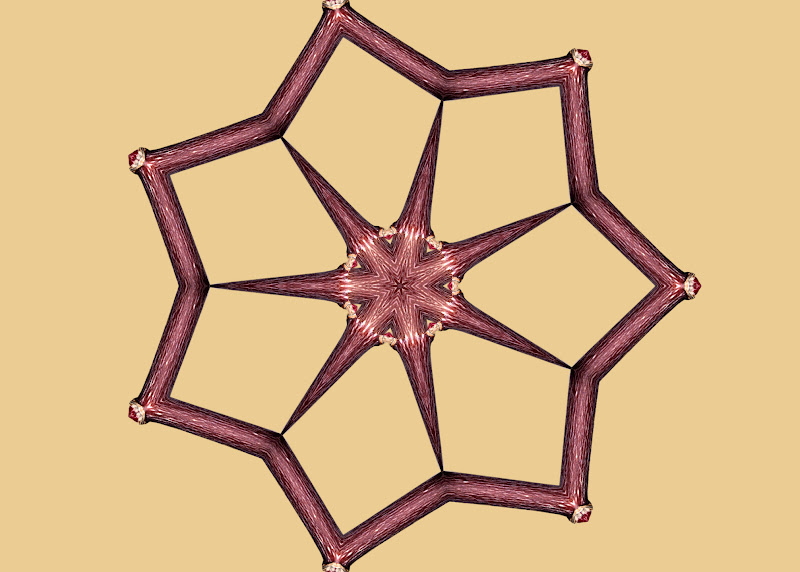
Kaleidoscope plugin

Thanks to a kind friend, I am now having so much fun editing pictures in Photoshop.
This free Kaleidoscope filter can be downloaded from here.

Before / Original
After / Filtered with Mirror Effect
Before / Original
After / Filtered with Mirror Effect

After / Filtered with Copy Effect

Dec 19, 2011

Amaryllis (Soft touch)

50% brighter to provide this effect.
Still not satisfied with the result, but I will continue to investigate.

Oct 24, 2011

Easy starburst effect

It is fun to play with Motion Blur filter to create this simple starburst effect.
The tutorial video can be found here.
Starburst effect (Motion Blur 45 degree max distance and another motion blur -45 degree with max distance)
Original

Oct 14, 2011

Surreal soft focus effect

I've learnt a quick and easy way to create a surreal and soft focus effect by simply applying the Gaussian blur filter and set the layer mode to “Overlay”in Photoshop.
Here's my mushroom picture from yesterday.
Open original picture.  Press Ctrl+J to duplicate the layer.

Click on the duplicated layer if it is not currently active,
go to FilterBlurGaussian Blur and enter an amount of 5%.
Set the layer mode to “Overlay”. Here you go!
To merge these two layers, select both layers and press Ctrl-E.
You can now save your file.
Note: This is just an immediate result... you can do extra editing to make this looks better


Jun 19, 2011

Fotosöndag/Samlad

Min tolkning för veckans fotosöndagstema: Samlad.
Nu har publiken samlats, när börjar konserten?

Jun 12, 2011

Fotosöndag/Hopp

For this week's Fotosöndag's theme... "Hopp" (Hope, jump, skip, bounce...etc), I've decided to merge two pictures I took few weeks ago into a classic "He loves me?  He loves me not?" (effeuiller la marguerite).

May 6, 2011

Black and white

It's dark in my kitchen, it is almost the same color as the actual shot

Repeating the same ring shadow shot, but this time with two rings... and more tasteful layout. Opps! Just noticed the word "lousy" is next to the ring, but what I was trying to focus on... was the word "love".
I've also submitted this picture for today's daily shoot assignment # 537


With lighting filter

May 5, 2011

Shipyard

It looks more magnificent in an artistic black and white. Interesting!

Apr 4, 2011

Week 12: Workplace (DPS Assignment)

Since I don't have a permanent workplace (if not my computer room... then is at customer site), I've decided to submit the first picture for this week's assignment.

Applied "Stylize --> Glowing Edge" filter with the following settings:
Edge Width = 1, Edge Brightness = 9 and Smoothness=3

Original picture

Apr 1, 2011

Fake HDR

Gothenburg a.k.a. little London is pretty gray most of the days...
Today is another gloomy day and  I have decided to capture this and turn this into a beautiful painting.

Rendered by Photomatix 4.0.2 - enhancer painterly function


Original

Mar 12, 2011

Alphabets and Numbers

I've also been following the fotobeginner.com to learn more about photography.
The alphabet project was very interesting and I've spent about a week to photograph and fix this little photo-montage. Here are my own alphabets and numbers pictures: